CC2P: CSV to Parquet converter
● ActiveHigh-performance Rust CLI that converts CSV files to Apache Parquet. Interactive TUI for column selection, multi-threaded, schema inference.
cargo install cc2pCC2P (Convert CSV To Parquet) is a command-line tool written in Rust that converts CSV files to Apache Parquet. Parquet is a columnar format with good compression, which makes it a nice fit for big data work.
Why use it
- Fast: Rust plus multi-threading keeps conversions quick
- Light on memory: It doesn’t load the whole file into RAM
- Flexible: Handles different delimiters and header options
- Schema inference: Figures out column types from the data
- Batch processing: Convert many CSV files in one command
- Interactive mode: Pick which columns to export from a TUI
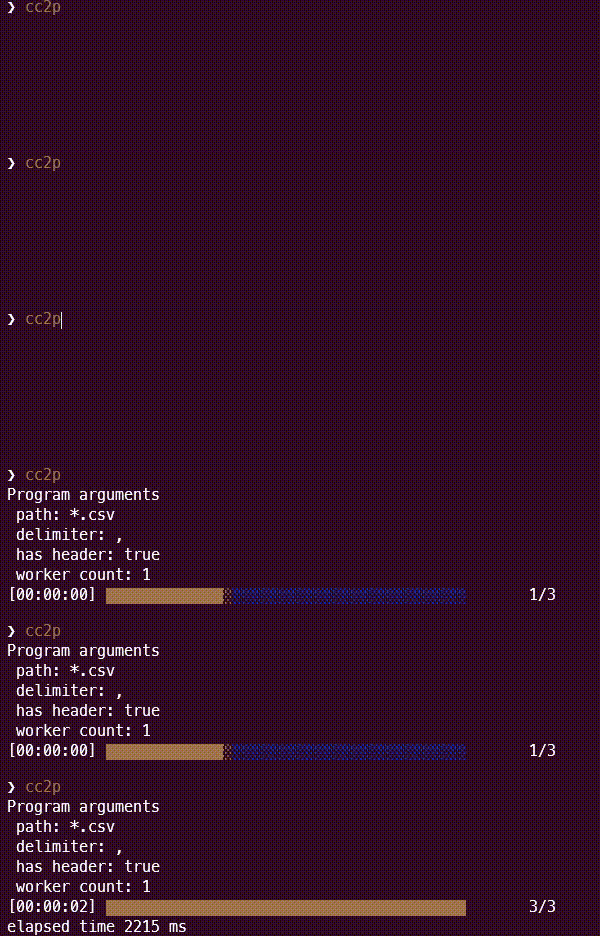
Installation
From Cargo (Recommended)
If you have Rust installed, you can install CC2P directly from crates.io:
cargo install cc2pFrom GitHub Releases
You can download pre-built binaries from the GitHub Releases page.
From Source
git clone https://github.com/rayyildiz/cc2p.git
cd cc2p
cargo build --release
Usage
Basic usage:
cc2p [OPTIONS] [PATH]Where PATH is the path to a CSV file or a glob pattern (default: *.csv).
Examples
Convert a single CSV file:
cc2p data.csvConvert all CSV files in the current directory:
cc2pConvert CSV files with semicolon delimiter:
cc2p --delimiter ";" *.csvConvert CSV files without headers:
cc2p --no-header data_files/*.csvUse 4 worker threads for faster processing:
cc2p --worker 4 large_data.csvOptions
- -d, –delimiter : Delimiter character used in CSV files (default:
,) - -n, –no-header: Whether to include the header in the CSV search column (default:
false) - -w, –worker: Number of worker threads to use (default:
1) - -s, –sampling: Number of rows to sample for inferring the schema (default:
2048) - -i, –interactive: Show an interactive UI to browse files and select columns
Interactive mode
CC2P has a terminal UI (TUI) for browsing CSV files, checking inferred schemas, and choosing which columns to export.
cc2p -i| Key | Action |
|---|---|
↑/↓ |
Navigate through files or columns |
Tab |
Switch between File List and Column List panels |
Space |
Select/Unselect the highlighted column |
Enter |
Export selected columns to Parquet |
Q |
Quit the application |
Platform Notes
macOS
Apple signing/notarization is not complete yet. After downloading, run:
xattr -c cc2pLinux
Install via Snap:
sudo snap install cc2pTechnical Requirements
- Rust: 1.88.0+ (Edition 2024)
- Minimum Memory: Depends on CSV file size
License
MIT. See LICENSE.